


Sending a mass email from Outlook seems simple enough, but for B2B sales teams, it's one of the fastest ways to get your domain flagged and your messages sent straight to spam. Revenue leaders know the pressure: you need to generate pipeline, but using the wrong tool can kill your entire outbound motion before it even starts.
While Outlook has built-in tools like Mail Merge and Contact Groups, they were designed for personal, one-to-one communication, not for predictable revenue generation. The real challenge for modern sales teams is how to engage a large list of prospects with personalized messages that actually convert—without looking like a spammer to email providers.
The Reality of Sending Mass Emails in Outlook
Every sales team knows the scenario. An SDR has a fresh list of target accounts, or an AE needs to follow up with webinar attendees. The instinct is to use the tool they live in all day—Outlook. Unfortunately, this creates more problems than it solves, stalling pipeline and frustrating reps.
Microsoft Outlook is a productivity giant, supporting over 400 million active users. But its anti-spam filters are equally powerful. Blasting a high volume of nearly identical emails, especially to a list that hasn’t been properly verified, is a massive red flag. We’ve seen teams do this and watch their inbox placement rates plummet below 30%. That’s a risk no revenue-focused team can afford.
This infographic breaks down the core dilemma: Outlook offers native methods, but they come with severe trade-offs in personalization, scale, and deliverability—the three pillars of effective outbound.
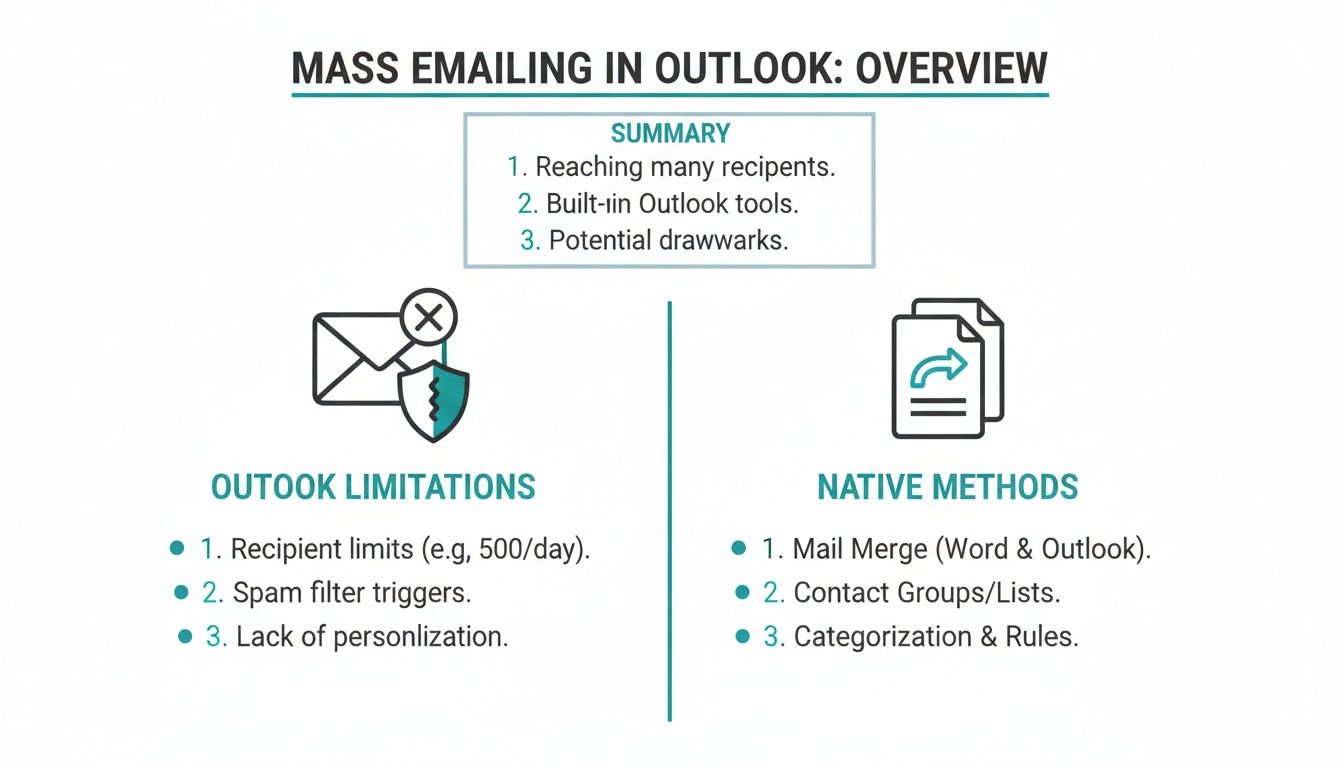
As you can see, the native tools lack the sophistication required for serious B2B prospecting.
Why Outlook Isn't a Sales Outreach Platform
The fundamental problem is that Outlook is missing the features that are non-negotiable for modern B2B sales. When an SDR sends a blast using a Contact Group or even a basic Mail Merge, they're flying blind. There’s no way to track the engagement metrics needed to refine your playbook and scale what works.
Here’s a quick comparison of Outlook's built-in methods, showing their ideal use case, personalization level, and how they fail to scale for revenue generation.
Comparing Outlook Mass Email Methods
| Method | Best For | Personalization | Scalability |
|---|---|---|---|
| Mail Merge | Small, personalized batches (e.g., event invites) | Basic (Name, Company) | Low |
| Contact Group | Internal announcements, small informal groups | None | Low |
| Distribution List | Company-wide internal updates | None | Low to Medium |
| M365 Group Send | Collaborative team communication | None | Medium (Internal) |
These methods are fine for internal comms or tiny, one-off sends, but they break down the moment you try to run a real outbound campaign.
Here are the key limitations you'll hit almost immediately:
- No Native Analytics: You can't track opens, clicks, or replies. Without that data, you have no visibility into which messaging is booking meetings or which accounts are showing intent. It’s guesswork, not strategy.
- Clunky Personalization: Mail Merge lets you insert basic fields like
{FirstName}, but it’s a manual, error-prone process. It can't handle the dynamic, AI-driven personalization needed to make an email feel genuinely human and relevant to a prospect's specific pain points. - High Risk to Your Domain: Sending hundreds of emails at once from a primary business account can get your entire domain flagged by spam filters. This doesn't just hurt your campaign; it can tank email deliverability for your entire company, from sales to the CEO.
For a sales leader focused on predictable pipeline, using Outlook for mass outreach is like trying to build a revenue engine with a single screwdriver. It’s a familiar tool, but it wasn’t designed for the job. To achieve predictable scale, you need a GTM platform built specifically for converting prospects into pipeline.
How to Use Mail Merge for Personalized Emails
When you need to send a batch of personalized emails from Outlook for a one-off campaign—like following up with webinar attendees or sending a quick update to a small group of accounts—Mail Merge is the classic workhorse. It’s a step up from the dreaded BCC field, but its success hinges entirely on having perfectly clean data from the start.
This is where most teams trip up. They focus on the email copy, but the real point of failure is a messy data source, usually an Excel spreadsheet. If your data isn't clean, you'll end up with embarrassing mistakes, like emails that start with Hi , or reference the wrong [Company]. These errors immediately signal a lack of care and get your message deleted.
Preparing Your Data Source Correctly
Before you even open Word, you need to get your Excel file in order. Let’s say an AE is following up after a product demo. Every column header in their spreadsheet needs to be a clean, single word like FirstName, Company, or JobTitle. Spaces or special characters in headers will break the connection to Word and kill the merge.
- Header Row: The very first row must contain your field names (e.g., FirstName, LastName, Company).
- Clean Data: Scan your list for empty rows or columns hidden in the middle of your data and delete them.
- Correct Formatting: A common mistake is mismatched data types. If a field that should be text is accidentally formatted as a number, it can throw off the entire merge.
The quality of your mail merge is a direct reflection of the quality of your data. Spending ten extra minutes cleaning up your spreadsheet will save you hours of troubleshooting and prevent brand-damaging mistakes that make your outreach look amateur.
Executing the Mail Merge
Once your Excel list is pristine, the process moves to Word and Outlook. You'll draft your email template in a new Word document, then go to the Mailings tab to start the merge process. This is where you connect your Excel file as the recipient list and insert your personalization fields.
This is the point where Outlook double-checks your work, confirming the link to your data source before it starts sending emails.

If you see a warning like this, it's often due to those mismatched fields or a corrupted Excel file. It's Outlook’s way of hitting the brakes before a bad send goes out.
While Mail Merge adds basic personalization, remember it's a completely manual, one-and-done process. You get no analytics, no automated follow-ups, and no sync to your CRM. For teams looking for a repeatable system, exploring options for automating sending emails from Outlook is the logical next step.
Ultimately, Mail Merge is a tactical tool, not a strategic one. It's useful for a specific task but lacks the intelligence to build a predictable sales pipeline. For more on crafting the email itself, see our guide on the differences between HTML vs. plain text email formats.
Using Contact Groups and Distribution Lists Smartly
When you need to send a quick message to a small group in Outlook, a Contact Group or Distribution List feels like the most direct route. Sales leaders sometimes consider these for a quick blast to a handful of accounts, but it’s crucial to understand they are not prospecting tools.
A Contact Group is your own private mailing list, stored locally on your computer. An SDR might build one for their top 20 target accounts to send an informal check-in. It's fast, simple to edit, and completely within your control.
A Distribution List, on the other hand, is the official, server-side version managed by your IT team. This is what your company uses for team-sales@ or all-hands announcements. You can't just add or remove people; it requires admin rights, ensuring more control.

The Unavoidable Trade-Off: Speed for Zero Personalization
The draw for both methods is speed. You write one email, add the group to the "To" field, and hit send. Simple.
The massive catch? You sacrifice all personalization. Every recipient gets the exact same, generic message. There are no {FirstName} or {Company} merge fields to make the email feel relevant. This alone makes it a terrible choice for any B2B prospecting. A prospect who receives a "Hello," blast instantly knows they're just one name on a long, impersonal list.
Using a Contact Group or Distribution List for prospecting is a dead giveaway that you haven't done your homework. In a world where relevance is the only thing that earns a reply, this approach actively works against building rapport and booking meetings.
When to Use Each Method
Despite their clear limitations for sales, these tools are useful in the right context:
- Contact Group: Perfect for an AE sending a follow-up resource to a small group of engaged customers they already know well. It also works for an SDR updating a handful of warm leads about a new feature they requested.
- Distribution List: This is strictly for internal communications. Think of a sales leader sending the weekly pipeline report to the entire sales team or RevOps announcing a CRM update.
These are tools for internal communication or small-scale relationship management. They lack the sophistication needed to drive revenue at scale, where list quality is paramount. On that note, using the right email validation software is critical to ensure your outreach lists are clean before you ever hit send.
Understanding Outlook Sending Limits and Deliverability
Before any rep on your team attempts mass outreach from their Outlook account, it’s critical to understand sending limits. Microsoft 365 has built-in rules to stop spam, and ignoring them can bring your entire go-to-market strategy to a screeching halt.
Hitting these limits isn't a minor inconvenience; it's a business risk that can damage your domain and stall revenue growth.
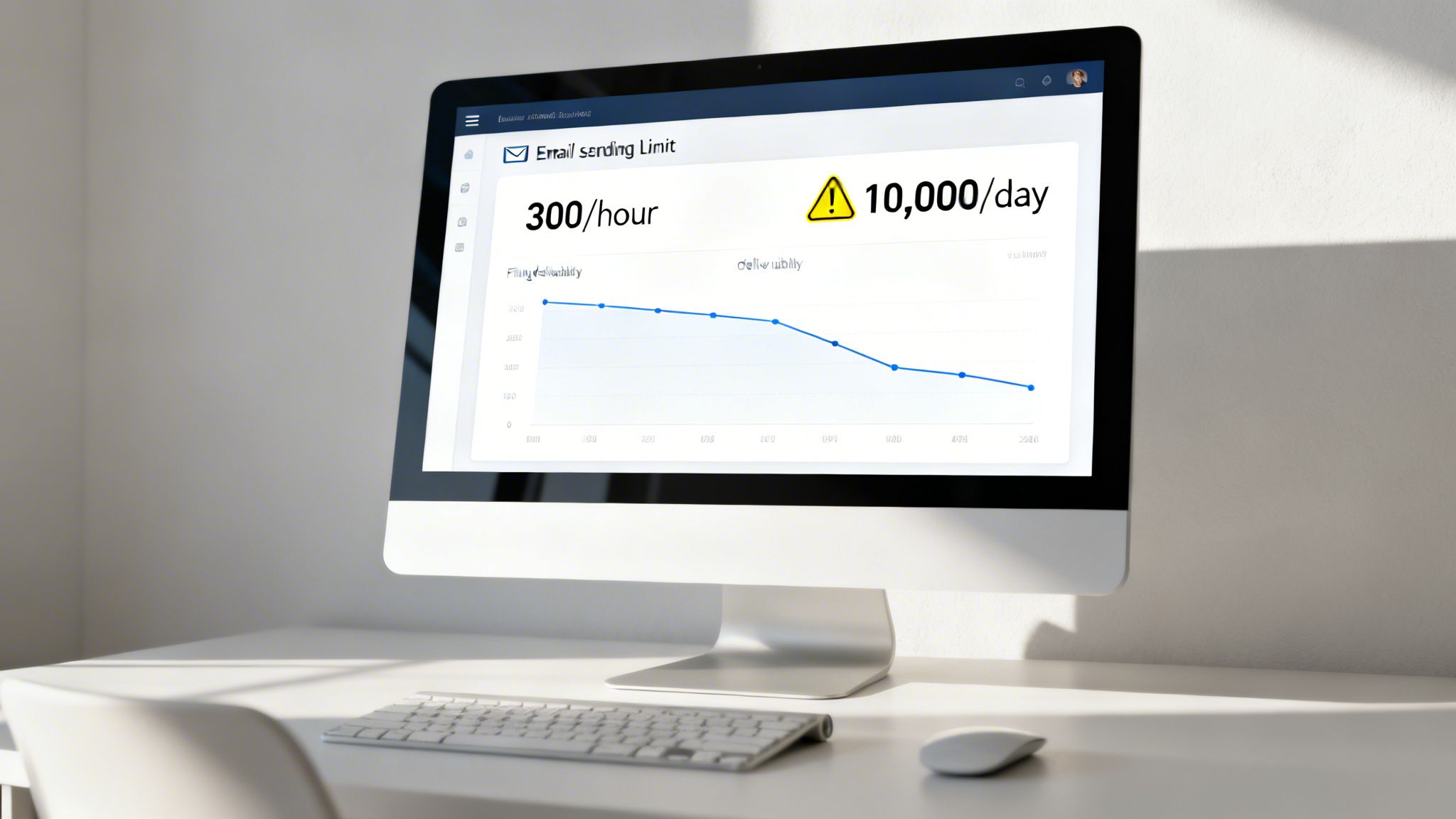
Most Microsoft 365 business plans cap you at 10,000 total recipients per day. That sounds like a lot, but the real trap is the other limit: no more than 30 emails per minute. It's this per-minute velocity that catches teams off guard. A simple Mail Merge to a few hundred prospects can easily cross that line, causing Microsoft to throttle your account and start slowing down or blocking your outgoing mail.
The Business Impact of Hitting Sending Limits
When an account gets throttled—or worse, temporarily suspended—the fallout is immediate and painful for the entire sales organization.
- Your Hot Leads Go Cold: The high-intent list your team just spent hours building becomes useless. Momentum is lost, opportunities are squandered, and all that GTM effort is wasted.
- Your Domain Reputation Gets Burned: Repeatedly hitting sending limits makes you look like a spammer to email providers like Gmail and Outlook. This damages your domain's sending reputation, which affects deliverability for everyone at your company, from SDRs to the CEO.
- You Put Revenue Targets at Risk: Outbound campaigns are the engine for pipeline. When that engine stalls because your emails aren't landing in inboxes, so does revenue growth. It's a straight line from a blocked email campaign to a missed quota.
The modern inbox is fiercely competitive. Professionals receive over 121 emails per day, and they only consider 38% of them worth a response. With inbox placement rates for some campaigns dropping below 30%, just getting seen is a battle. As global email volume continues to climb, these rules will only get stricter. You can read more on the challenges of email overload in 2026 to understand how tough the landscape is.
Deliverability Is a Non-Negotiable
This is where the conversation must shift from just sending volume to sending intelligence. Poor deliverability isn’t just about the number of emails you send; it's about the quality of your outreach. Sending to old, unverified email addresses leads to high bounce rates—one of the biggest red flags for spam filters.
Your domain reputation is a shared asset that takes months to build and minutes to destroy. A single poorly executed mass email from Outlook can negatively impact everyone in your organization, from sales and marketing to the CEO.
This is precisely why list hygiene and regular email verification are non-negotiable for any outbound strategy. You have to protect your sending reputation. For a deeper dive, our guide on email deliverability best practices lays out a complete framework for building and maintaining a healthy sender score.
To get a handle on the technical side of email delivery and how to fix problems, it's worth reading up on solving email deliverability issues. At the end of the day, treating your domain with respect isn't just an IT problem—it's a fundamental part of driving predictable revenue.
When to Graduate from Outlook for Mass Emailing
Trying to run a serious sales outreach program from Outlook is like using a personal car for a commercial delivery service. It works at first, but you'll quickly hit a wall where manual effort and a lack of visibility cost you more than you gain.
The shift from forcing Outlook to work to adopting a dedicated B2B prospecting platform isn't just about sending more emails. It's about building a predictable revenue engine. That turning point becomes obvious when you start seeing wasted time and missed opportunities pile up.
Signs You've Outgrown Outlook
If any of these scenarios sound painfully familiar, it’s a clear sign your team has moved beyond what Outlook was ever designed to do. Each one is a bottleneck that directly stalls your ability to scale.
- Your reps are stuck in spreadsheet hell. Before even starting a Mail Merge, your SDRs are spending hours in Excel, manually cleaning lists, fixing capitalization, and praying the
{Company}field aligns with the{FirstName}. That’s precious selling time wasted on low-value admin work. - Your AEs are walking into calls blind. Without a unified system, your SDRs fire off emails with no real visibility. This leads to inconsistent handoffs where Account Executives join meetings with no context on the prior conversation.
- You're flying blind as a leader. You ask, "Which email copy is booking the most meetings?" and get a shoulder shrug. With no native open, click, or reply tracking, you have zero data to double down on what’s working and cut what isn't.
- Your RevOps team is pulling their hair out. Every email sent manually from an individual's Outlook is an activity that never gets logged in the CRM. This creates a massive data black hole, making forecasting a nightmare and shattering any hope of meaningful automation or reporting.
The core issue is this: Outlook was built for communication, not conversion. It lacks the analytics, automation, and sales intelligence needed to turn cold outreach into predictable revenue.
The Limits of Manual Personalization
With over 376.4 billion emails sent daily, getting noticed is a monumental task. While basic personalization—like adding a first name—can boost open rates by 18.30%, real engagement demands more than a simple Mail Merge field.
In today's crowded inboxes, a generic bulk email sent from Office 365 can easily see deliverability plummet below 30%. You can explore more compelling email statistics that inform strategy to see just how hard it is to cut through the noise.
True personalization at scale means referencing a prospect’s recent LinkedIn post, a company-level buying signal, or a specific pain point unique to their role. Trying to manage that level of detail for hundreds of prospects within Outlook isn't just impractical; it’s impossible.
This is exactly where an all-in-one platform like Willbe becomes the logical next step. It’s engineered to solve these specific problems by unifying data, AI-driven personalization, and multi-channel sequences into a single workflow. Instead of burning lists and frustrating your team, you get a system that helps reps find better accounts, reach the right people with messages that feel human, and convert pipeline faster.
Frequently Asked Questions About Sending Mass Emails in Outlook
If you're trying to scale your outreach using just Outlook, you're bound to run into a few walls. The built-in tools are confusing, and the penalties for missteps are steep. Let's clear up some of the most common questions we hear from reps and sales leaders trying to make it work.
Can Recipients See Each Other in a Contact Group Email?
Yes. When you put a Contact Group in the 'To' or 'Cc' field, every recipient sees the entire list. For professional B2B outreach, this is a deal-breaker. It looks unprofessional, feels lazy, and is a significant privacy risk.
Some reps try to work around this using the 'Bcc' field. While this hides the recipient list, it's a huge spam trigger for email providers and still offers zero personalization. This approach tanks your deliverability and ensures your message feels generic, dooming it to the trash folder before it's ever read.
What Is the Real Difference Between Mail Merge and a Sales Platform?
A Mail Merge is a one-time, manual send with no feedback loop. Think of it as a digital tool for a single event, like sending a simple announcement. Once you hit send, your part is done, but you have no visibility into what happens next.
A true sales engagement platform like Willbe is an entirely different system built to create predictable pipeline. It automates multi-step sequences across channels (like email and LinkedIn), provides deep analytics on opens, clicks, and replies, and logs all activity back to your CRM automatically. The goal isn't just to send one email blast; it's to build a repeatable process for generating qualified meetings.
Mail Merge sends emails. A sales platform builds a revenue engine. Understanding this distinction is critical for any leader focused on scale.
How Many Emails Can I Send from Outlook Before Getting Flagged?
This is a tricky question. While Microsoft's official daily limit for M365 accounts is 10,000 recipients, that number is dangerously misleading for B2B sales outreach. Your account will be flagged long before you get close to that threshold.
The real limits to worry about are the hourly and per-minute sending rates. Sending just a few hundred emails in a short burst can easily get your account throttled or blocked, especially if some of those emails bounce. These limits exist to stop spammers, not to support high-volume prospecting.
Is It Possible to Track Opens and Clicks in Outlook?
Natively, no. Outlook does not offer any way to track opens or clicks for emails sent via Mail Merge or Contact Groups. You can request read receipts, but most recipients ignore or decline them, making the data useless for any real analysis.
Without that feedback, your team is flying blind. You can't know which subject lines are working, which CTAs are driving engagement, or which accounts are showing intent. To get the analytics needed to optimize a campaign, you must use a third-party add-in or, better yet, a dedicated sales platform. Running an outbound strategy without this data is pure guesswork.
When you're ready to stop wrestling with Outlook's limitations and start building a predictable pipeline, Willbe provides the all-in-one platform to make it happen. Replace fragmented tools and manual workflows with a single system that unifies prospecting, personalization, and outreach.
See Willbe in action and discover how top teams scale outbound.