


A well-defined sales pipeline is the backbone of any successful sales organization, providing a clear visual path from initial contact to a closed deal. While a simple spreadsheet might seem sufficient at first, it quickly becomes a bottleneck, leading to inconsistent data, missed follow-ups, and inaccurate forecasting. Building a robust pipeline structure from scratch is a significant undertaking, often delaying the very sales activities it's meant to support. This is where a strategic foundation becomes critical for scaling revenue operations.
That's why we’ve curated this comprehensive guide to the best sales pipeline templates available today. Instead of spending hours designing your own system, you can implement a proven framework immediately. We've analyzed 12 top-tier options from platforms like HubSpot, monday.com, and Notion, moving far beyond basic spreadsheets to dynamic, collaborative solutions.
This article provides direct links, screenshots, and practical analysis for each template. We break down the ideal use cases, from SDR outreach sequences to complex enterprise deal trackers, so you can find the perfect fit. Our goal is to help you select, customize, and deploy a template that standardizes your sales process, improves deal velocity, and builds a predictable revenue engine.
1. HubSpot
HubSpot offers a suite of free, downloadable sales pipeline templates designed for teams who prefer the familiarity of Google Sheets or Excel. These templates serve as an excellent no-cost entry point for businesses formalizing their sales process. They come pre-formatted with essential columns like deal stage, value, close probability, and owner, allowing for immediate implementation.
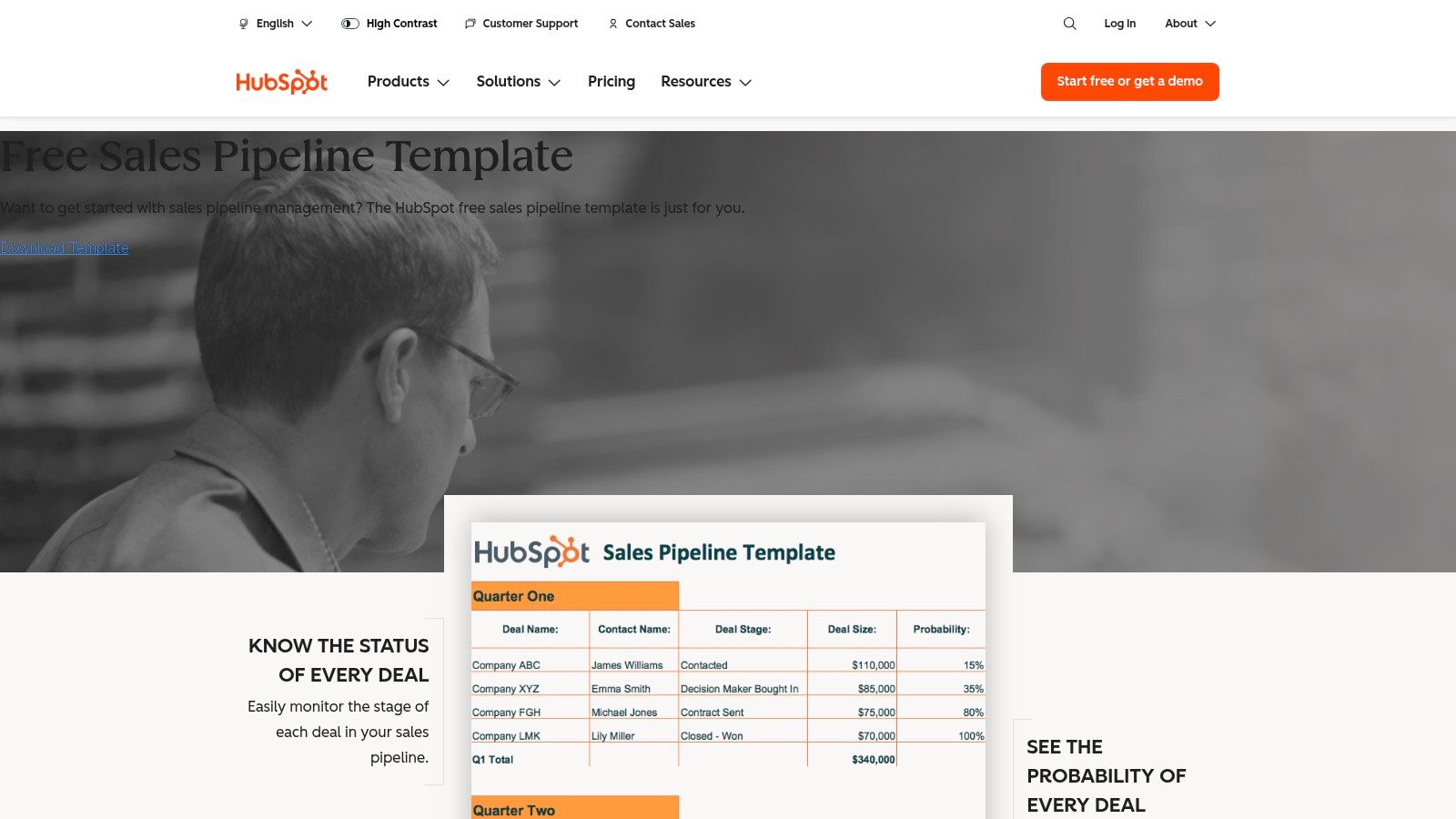
What makes HubSpot’s offering unique is its integrated ecosystem. The download bundle includes companion templates for sales funnels and forecasting, ensuring data consistency across your reporting. For teams ready to move beyond manual spreadsheets, these templates provide a natural and easy transition into HubSpot’s free CRM. This built-in upgrade path is a significant advantage over standalone templates.
Key Details & Use Case
- Best For: Startups, small businesses, or sales teams looking for a foundational template without immediate financial investment.
- Standout Feature: The included weighted pipeline calculation, which automatically estimates expected revenue based on close probability for more accurate forecasting.
- Limitation: As a spreadsheet, it relies entirely on manual data entry, which can become time-consuming and error-prone as your team and deal volume grow.
- Pro Tip: Use the template to standardize your team’s process first. Once everyone is consistently tracking deals, migrating the data into the HubSpot CRM will be much smoother. For a deeper dive into structuring your sales stages, review these guidelines on how to build a sales pipeline.
Link: HubSpot Free Sales Pipeline Templates
2. Smartsheet
Smartsheet elevates the concept of a spreadsheet with a robust platform that offers both downloadable sales pipeline templates and a more advanced in-app template set. Users can start with familiar Excel or Google Sheets formats or leverage Smartsheet’s native environment, which includes pre-built dashboards, tracking sheets, and detailed opportunity reports. This makes it ideal for teams who need more power than a simple spreadsheet but aren't ready for a full CRM.
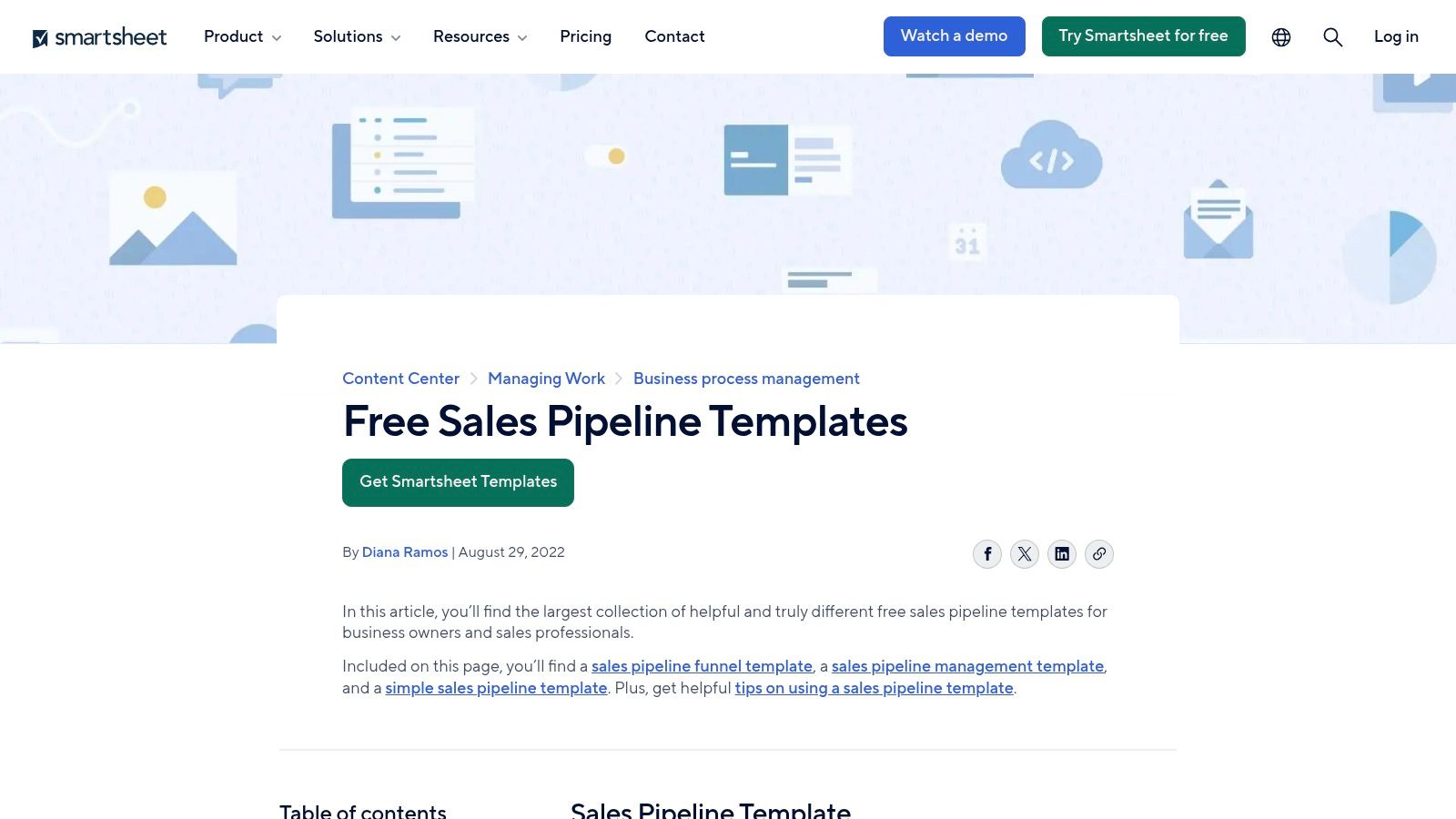
What sets Smartsheet apart is its blend of spreadsheet functionality with light automation and project management features. The platform allows for real-time collaboration, easy permission settings for cross-functional visibility, and a mobile app for on-the-go updates. This structured approach helps standardize pipeline tracking while providing a clear upgrade path from static templates to an interactive, automated system within the same ecosystem.
Key Details & Use Case
- Best For: Growing teams that need collaborative features and basic automation without the complexity of a dedicated CRM.
- Standout Feature: The in-app template set that comes with a live dashboard, offering at-a-glance visibility into pipeline health by rep, stage, or value.
- Limitation: The most powerful features, like automation and advanced reporting, require a paid Smartsheet subscription, making it a step up from free alternatives.
- Pro Tip: Use the dashboard feature to create a central source of truth for weekly sales meetings. For more ideas on managing your pipeline effectively, explore these sales pipeline management best practices.
Link: Smartsheet Sales Pipeline Templates
3. monday.com
monday.com moves beyond static spreadsheets by offering a highly visual and interactive sales pipeline template within its work OS. This platform is ideal for teams seeking a collaborative, CRM-like environment without the complexity of a traditional CRM system. The template is fully customizable, allowing you to easily add columns for deal owners, values, expected close dates, and contact information.
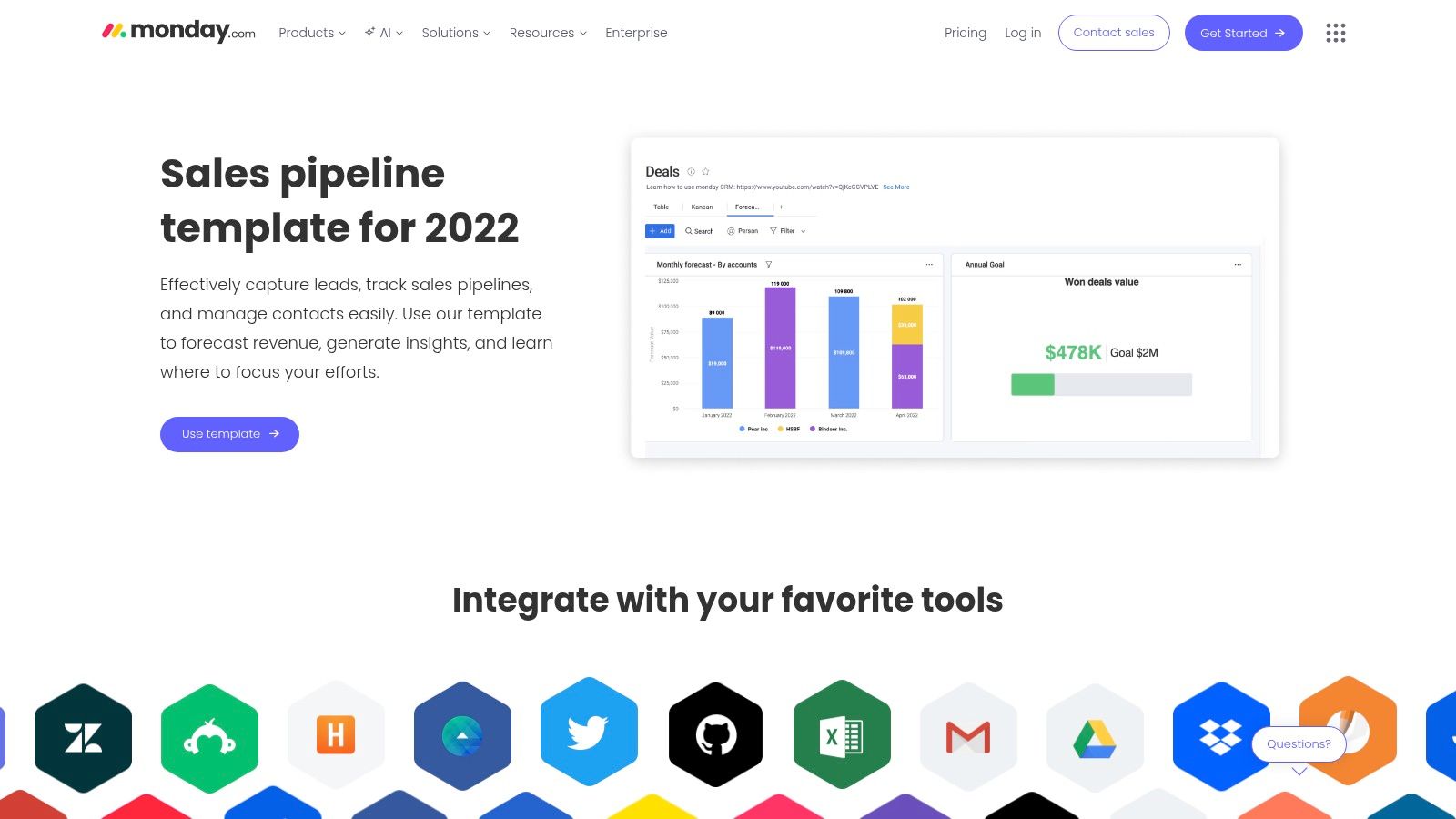
What truly sets monday.com apart is its powerful automation and integration capabilities. You can set up "recipes" to automatically change a deal's status, assign tasks, or send notifications when certain triggers occur. With integrations for tools like Salesforce, HubSpot, and Mailchimp, it acts as a central hub, pulling data from various sources into one unified view and improving your team’s efficiency.
Key Details & Use Case
- Best For: Teams that need a dynamic, visual pipeline with strong collaboration features and workflow automation.
- Standout Feature: The ability to switch between multiple views (Kanban, chart, calendar) provides different perspectives on your pipeline for forecasting, planning, and reporting.
- Limitation: Advanced automations and integrations, which are key to its value, are locked behind paid plans, making the free version somewhat limited.
- Pro Tip: Use the form view to create a standardized lead intake process. This ensures every new opportunity captured has consistent data from the start, which is a key component of the B2B lead generation best practices that fuel a healthy pipeline.
Link: monday.com Sales Pipeline Template
4. ClickUp
ClickUp offers a collection of highly adaptable and free sales pipeline templates directly within its all-in-one productivity platform. This approach is ideal for sales teams that need their pipeline management to coexist with project tasks, client onboarding, and internal documentation. The templates come ready with pre-configured statuses, custom fields for deal value and priority, and several different views like List, Board, and Calendar.
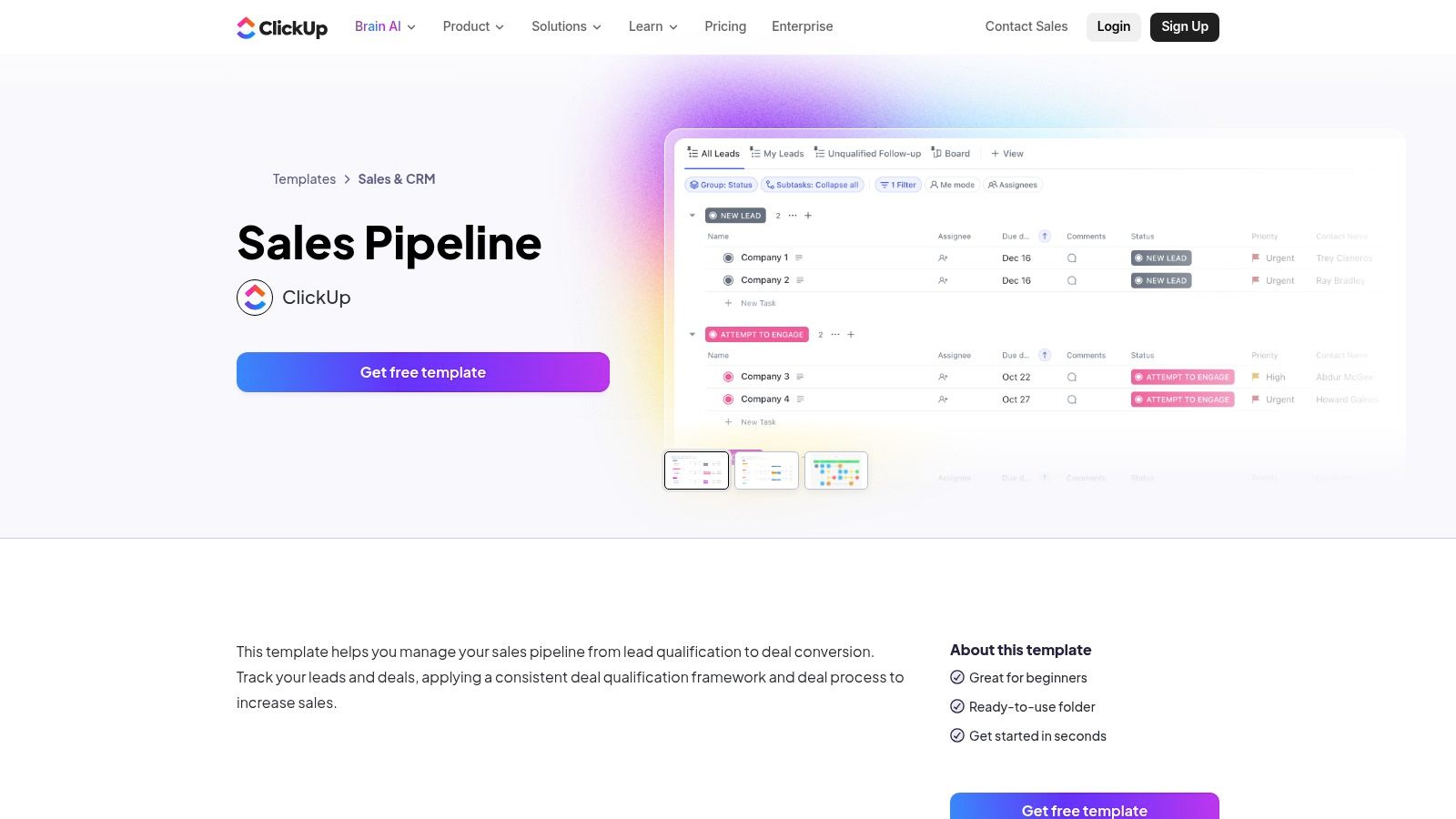
What makes ClickUp a unique option is its fusion of task management and CRM functionalities. You can link tasks directly to deals, embed documents within a pipeline stage, and set goals, all without leaving the workspace. This unified environment helps maintain context and alignment between sales activities and broader company projects, providing a more holistic view of revenue-generating efforts.
Key Details & Use Case
- Best For: Teams that want to manage their sales pipeline within the same tool they use for project and task management.
- Standout Feature: The ability to integrate tasks, docs, and goals directly into the sales pipeline, creating a single source of truth for all deal-related activities.
- Limitation: The platform's vast feature set can be overwhelming for new users who are only looking for a simple, dedicated pipeline tool.
- Pro Tip: Start with the basic board view to mimic a traditional Kanban-style pipeline. As your team gets comfortable, gradually introduce custom automations, such as automatically assigning a task to a manager when a deal moves to the "Contract Negotiation" stage.
Link: ClickUp Sales Pipeline Template
5. Notion (Notion Marketplace)
Notion's template marketplace offers a wide variety of free and paid sales pipeline templates that can be instantly duplicated into any user's workspace. These templates are ideal for solo entrepreneurs, freelancers, and small teams who need a flexible, highly customizable system without the overhead of a dedicated CRM. Users can find everything from simple Kanban boards to comprehensive deal databases with integrated dashboards.
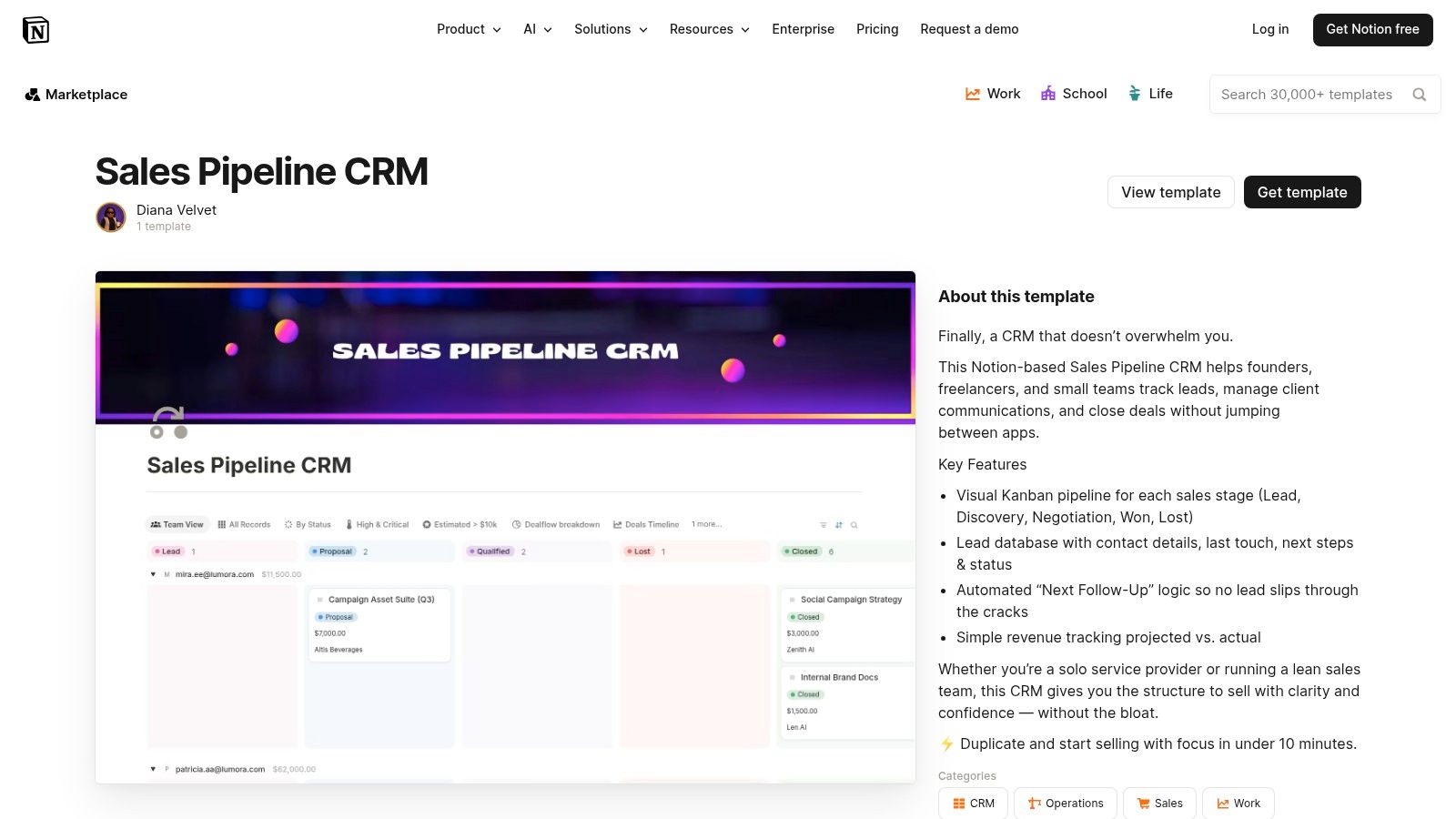
The key strength of Notion's offering is its unparalleled flexibility and the vast ecosystem of user-created variations. You can easily find industry-specific templates or modify a basic one to perfectly match your unique sales stages and data points. Because these templates can be used on Notion’s free plan, they provide a powerful, low-cost alternative to traditional sales tools for those just starting out.
Key Details & Use Case
- Best For: Individuals and small teams who already use Notion or desire a lightweight, all-in-one workspace for managing deals alongside projects and notes.
- Standout Feature: The ability to link your sales pipeline directly to other Notion databases, like meeting notes, client profiles, and project tasks, creating a unified information hub.
- Limitation: It lacks the native sales automation (e.g., automated email sequences, lead scoring) and advanced reporting found in dedicated CRM platforms.
- Pro Tip: Use Notion's "relations" and "rollups" features to connect your deals database with a contacts database. This allows you to see all associated contacts and interaction history for any given deal automatically.
Link: Notion Sales Pipeline & CRM Templates
6. OnePageCRM
OnePageCRM offers a free, structured sales pipeline template that brings the power of forecasting and visualization directly into a spreadsheet format. Designed for both Excel and Google Sheets, this template is ideal for small teams wanting a clean, no-cost tracker with built-in calculations. It comes pre-loaded with defined sales stages, probability percentages, and formulas to automatically calculate weighted forecasts.
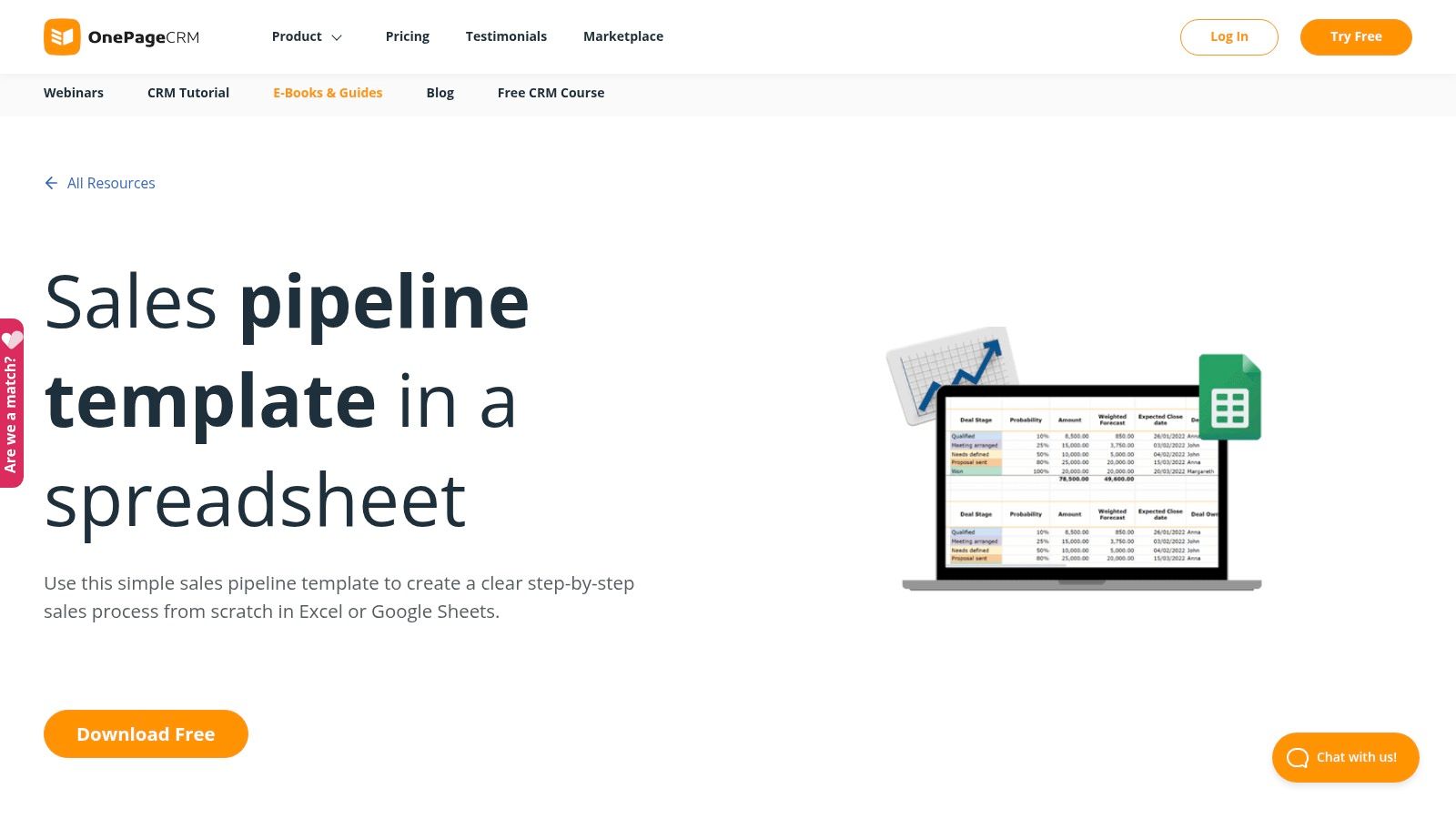
What makes this resource stand out is its inclusion of visual charts and quarterly rollups, which are not always standard in free spreadsheet templates. These visual aids help teams instantly grasp pipeline health and revenue projections without needing to build complex pivot tables. The clear instructions and prebuilt formulas make it a practical, lightweight solution for teams prioritizing simplicity and immediate usability before committing to a full-featured CRM.
Key Details & Use Case
- Best For: Small sales teams or solopreneurs who need basic forecasting capabilities and visual reporting without a CRM subscription.
- Standout Feature: The integrated visual charts that automatically update to reflect pipeline data, providing an at-a-glance dashboard within the spreadsheet.
- Limitation: It is entirely dependent on manual updates and lacks any built-in automation or collaborative controls, making it susceptible to data entry errors.
- Pro Tip: Customize the stage probabilities to accurately reflect your historical win rates. This small adjustment will make the weighted forecast significantly more reliable for your business.
Link: OnePageCRM Free Sales Pipeline Template
7. Someka
Someka offers professionally designed sales pipeline templates for businesses that want a more advanced spreadsheet solution without committing to a full CRM. Sold as a one-time purchase for both Google Sheets and Excel, these templates provide a polished, turnkey system for tracking deals from lead to close. They are designed to feel more like an application than a simple spreadsheet, with a clean interface and built-in logic.
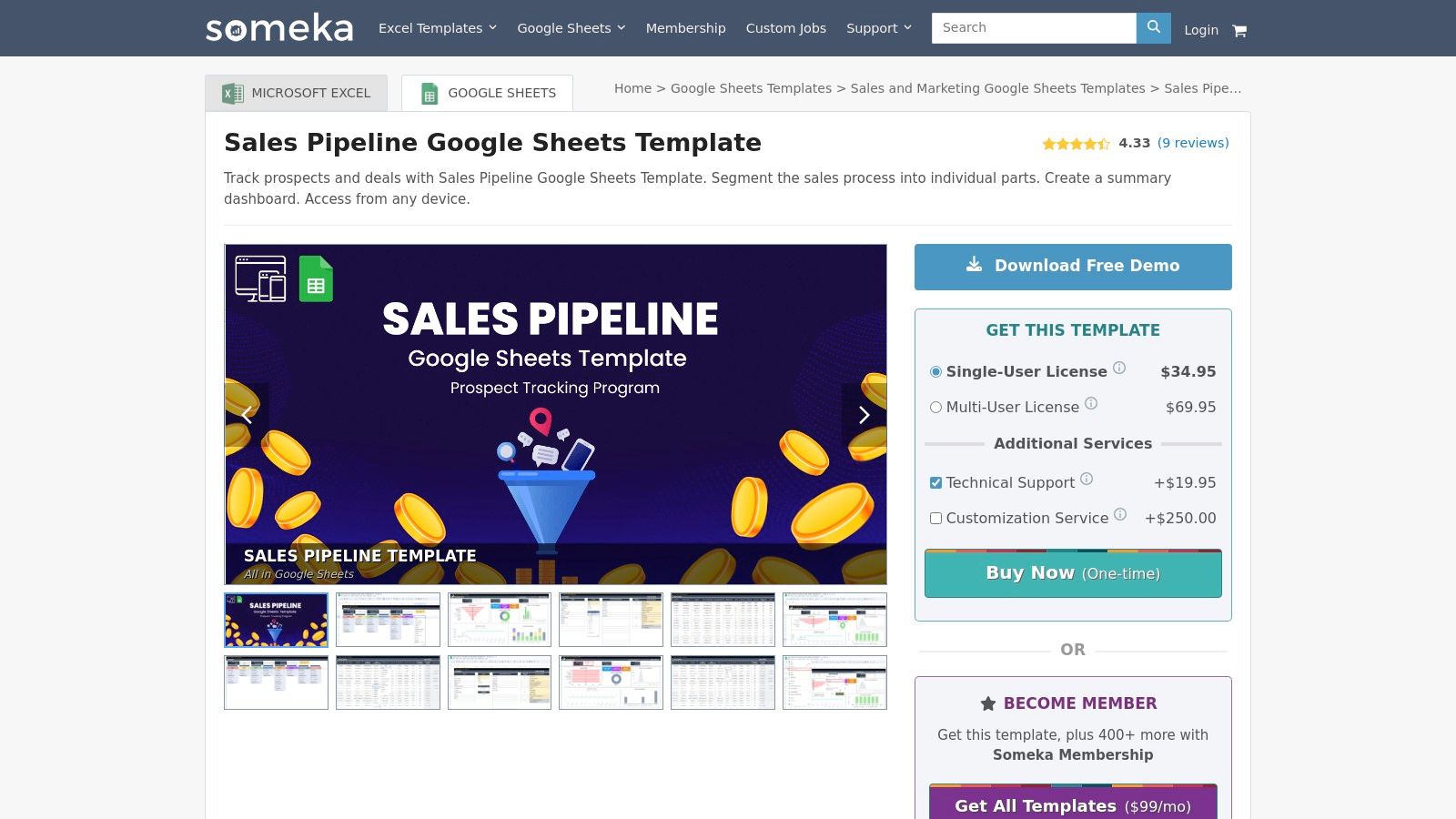
What sets Someka apart is the inclusion of dynamic dashboards and charts that automatically update as you input deal data. This provides immediate visual insights into your pipeline's health, win rates, and stage-by-stage progress. For teams needing extra help, Someka also offers paid customization services and post-purchase support, a unique benefit for a spreadsheet-based tool that ensures users can get the most out of their purchase.
Key Details & Use Case
- Best For: Small to mid-sized businesses that want a sophisticated, visually-driven spreadsheet template with optional vendor support.
- Standout Feature: The dynamic dashboard with interactive charts and filters, which gives a CRM-like feel to a standard spreadsheet environment.
- Limitation: It carries a one-time cost, whereas many alternatives are free. It also remains a manual system that lacks the automation of a true CRM.
- Pro Tip: Take advantage of the detailed documentation and video tutorials provided with the template. Understanding how the built-in formulas and charts work will help you customize it without breaking its core functionality.
Link: Someka Sales Pipeline Template
8. Spreadsheet Daddy
Spreadsheet Daddy provides a collection of free, recently updated sales pipeline templates available in multiple formats, including Google Sheets, Excel, and PDF. These no-frills templates are designed for rapid deployment and are perfect for individual sales reps or micro-teams needing a quick way to organize their deals. The layout is clean, simple, and includes essential fields for basic pipeline management.
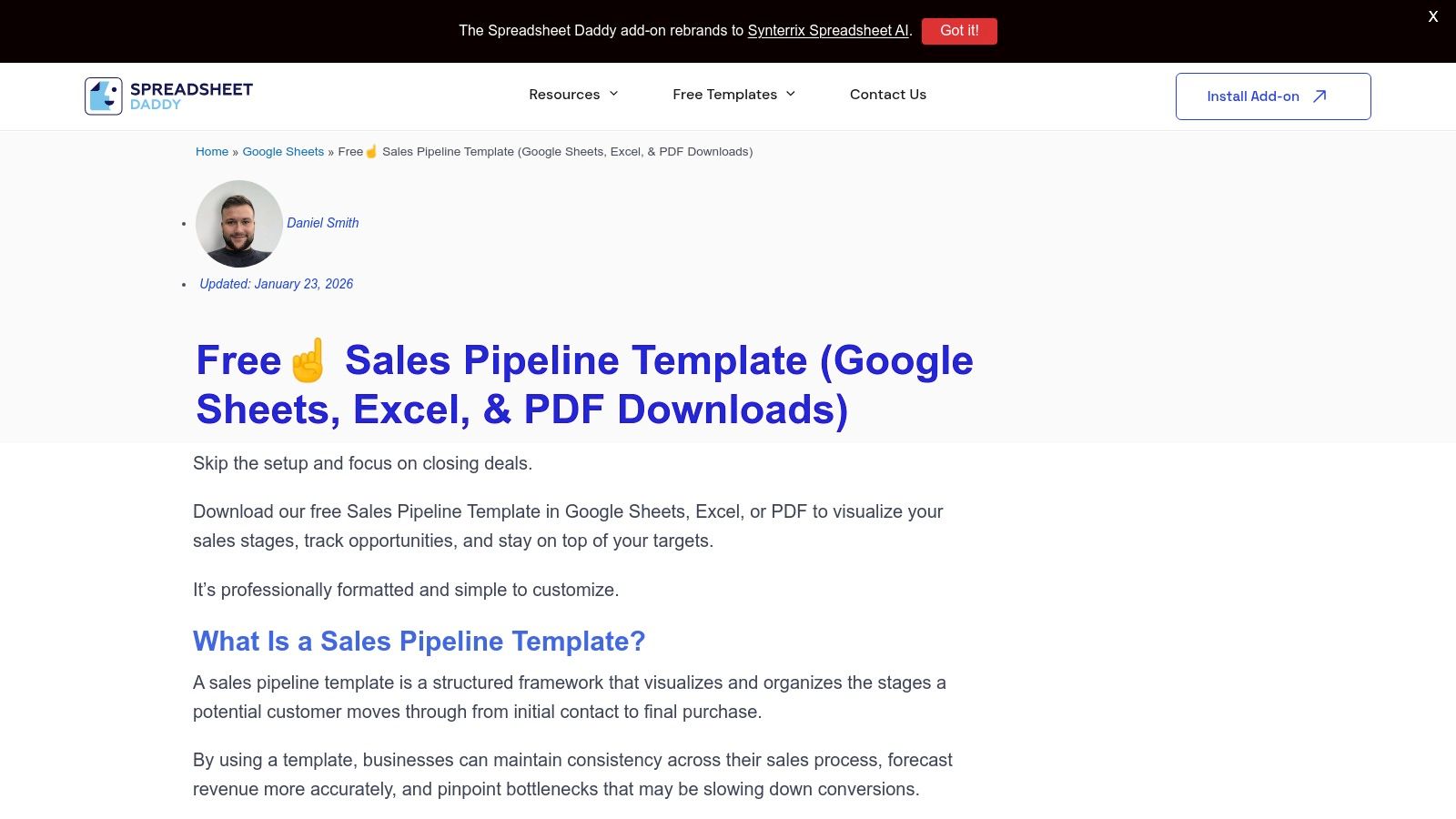
The primary advantage of Spreadsheet Daddy is its straightforward accessibility and multi-format availability. Users can download their preferred version without signing up or navigating complex funnels, making it a great ad-hoc solution. While it lacks the advanced formulas or integrations of more robust systems, its simplicity is its core strength, offering a solid starting point for those just beginning to structure their sales process or needing a temporary tracking tool.
Key Details & Use Case
- Best For: Freelancers, individual sales representatives, or very small teams needing an immediate and simple deal-tracking solution.
- Standout Feature: The availability of a PDF version, which is useful for static reporting or sharing non-editable snapshots of the pipeline.
- Limitation: The templates are very basic, offering no built-in automation, forecasting formulas, or analytics, and there is no vendor support.
- Pro Tip: Use the Google Sheets version to leverage its built-in sharing and collaboration features. You can easily grant view or edit access to a manager or collaborator for quick feedback without sending file attachments.
Link: Spreadsheet Daddy Sales Pipeline Templates
9. Atlassian Jira
Atlassian offers a sales pipeline template within Jira designed for teams that prioritize structured processes and workflow automation. It leverages Jira’s powerful project management framework, presenting the pipeline as a Kanban-style board where deals move through customizable stages. This approach is ideal for sales teams already integrated into the Atlassian ecosystem or those collaborating closely with technical departments.
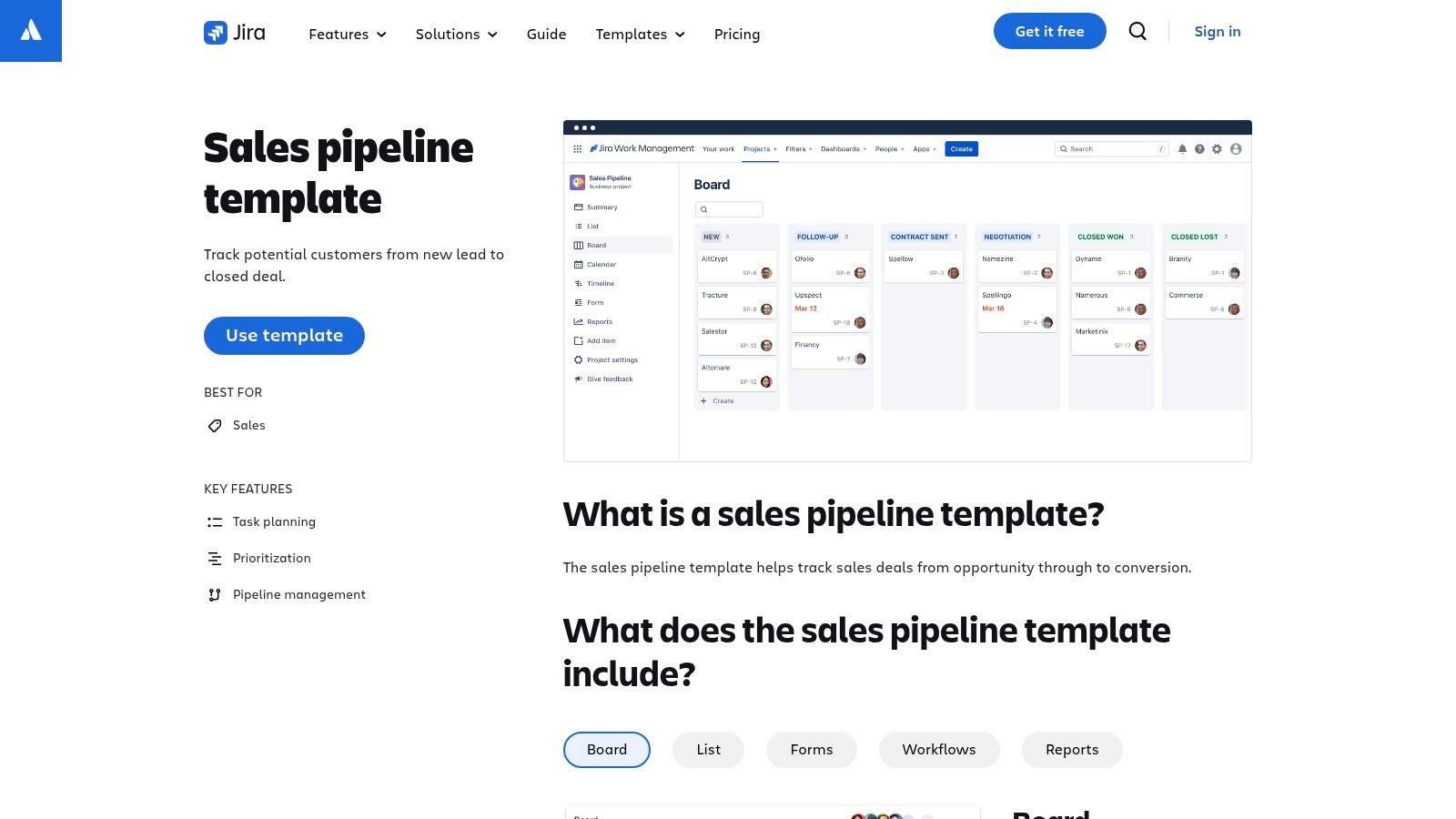
What makes the Jira template stand out is its deep workflow customization and automation capabilities. Teams can build no-code automation rules to trigger actions, assign tasks, or update statuses as a deal progresses. This brings a level of process rigor typically found in development projects to the sales cycle, ensuring that no steps are missed and handoffs between team members are seamless.
Key Details & Use Case
- Best For: Larger sales teams, B2B tech companies, or any organization already using Jira for project management that needs a highly structured sales process.
- Standout Feature: Its robust workflow automation engine, allowing teams to create rules that automatically move deals, create follow-up tasks, and notify stakeholders.
- Limitation: The platform can feel overly complex for teams seeking a simple, sales-first CRM experience. Its true power is best realized on paid plans.
- Pro Tip: Use Jira’s form-building feature to create standardized intake forms for new leads. This ensures all necessary information is captured upfront, reducing manual data entry and improving lead quality from the start.
Link: Atlassian Jira Sales Pipeline Template
10. Miro
Miro provides a highly visual, whiteboard-style approach to pipeline management with its agile sales Kanban templates. Rather than a traditional spreadsheet, Miro’s templates are designed for dynamic, collaborative sessions where teams can drag and drop deal cards, map out processes, and visualize workflows in real-time. This makes it an excellent operational layer for strategy meetings, pipeline reviews, and aligning cross-functional teams.
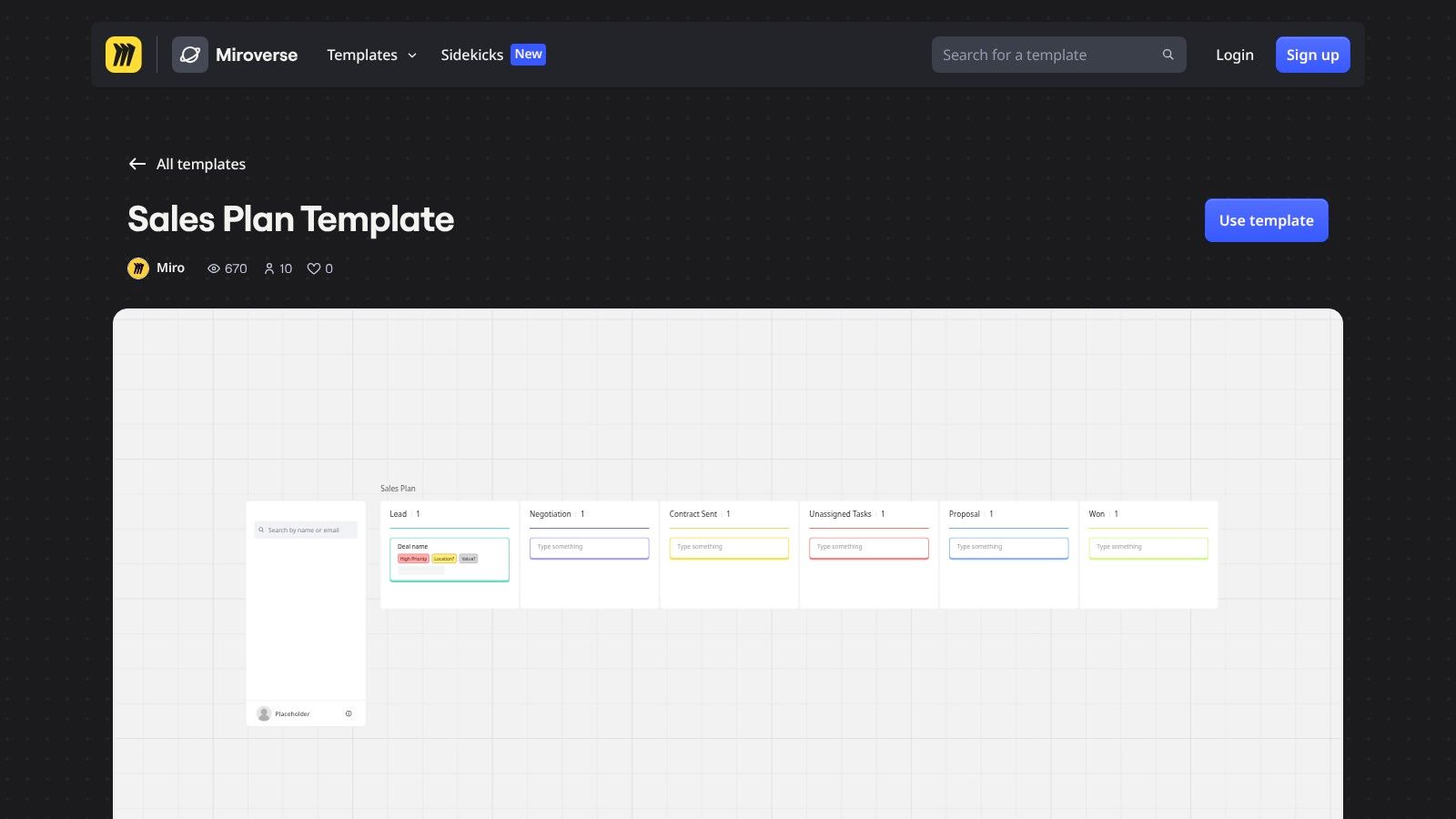
What makes Miro’s offering distinct is its emphasis on collaboration and visualization over data entry. Teams can attach documents, add comments, and brainstorm directly on the board, making it ideal for identifying bottlenecks or mapping out complex handoffs between SDRs and AEs. It serves as a strategic planning tool that complements, rather than replaces, a dedicated CRM system by providing a flexible space for high-level sales process mapping.
Key Details & Use Case
- Best For: Sales teams that prioritize visual planning, collaborative pipeline reviews, and workshop-style strategy sessions.
- Standout Feature: Real-time, drag-and-drop Kanban board functionality that makes team stand-ups and deal progression reviews fast and interactive.
- Limitation: It is not a CRM; data must be managed and updated separately in your primary sales tool, creating potential for duplication of effort.
- Pro Tip: Use Miro for weekly or monthly pipeline review meetings. Have each rep update their main deals on the board beforehand, then use the session to discuss strategy, blockers, and next steps visually.
Link: Miro Sales Plan Templates
11. Visme
Visme provides editable sales pipeline funnel chart templates focused on visualizing conversions and stage drop-offs. Rather than being an operational tool for managing live deals, Visme excels at creating polished, presentation-ready graphics that clearly communicate pipeline health to stakeholders, leadership teams, or board members. These templates are designed for high-impact reporting.
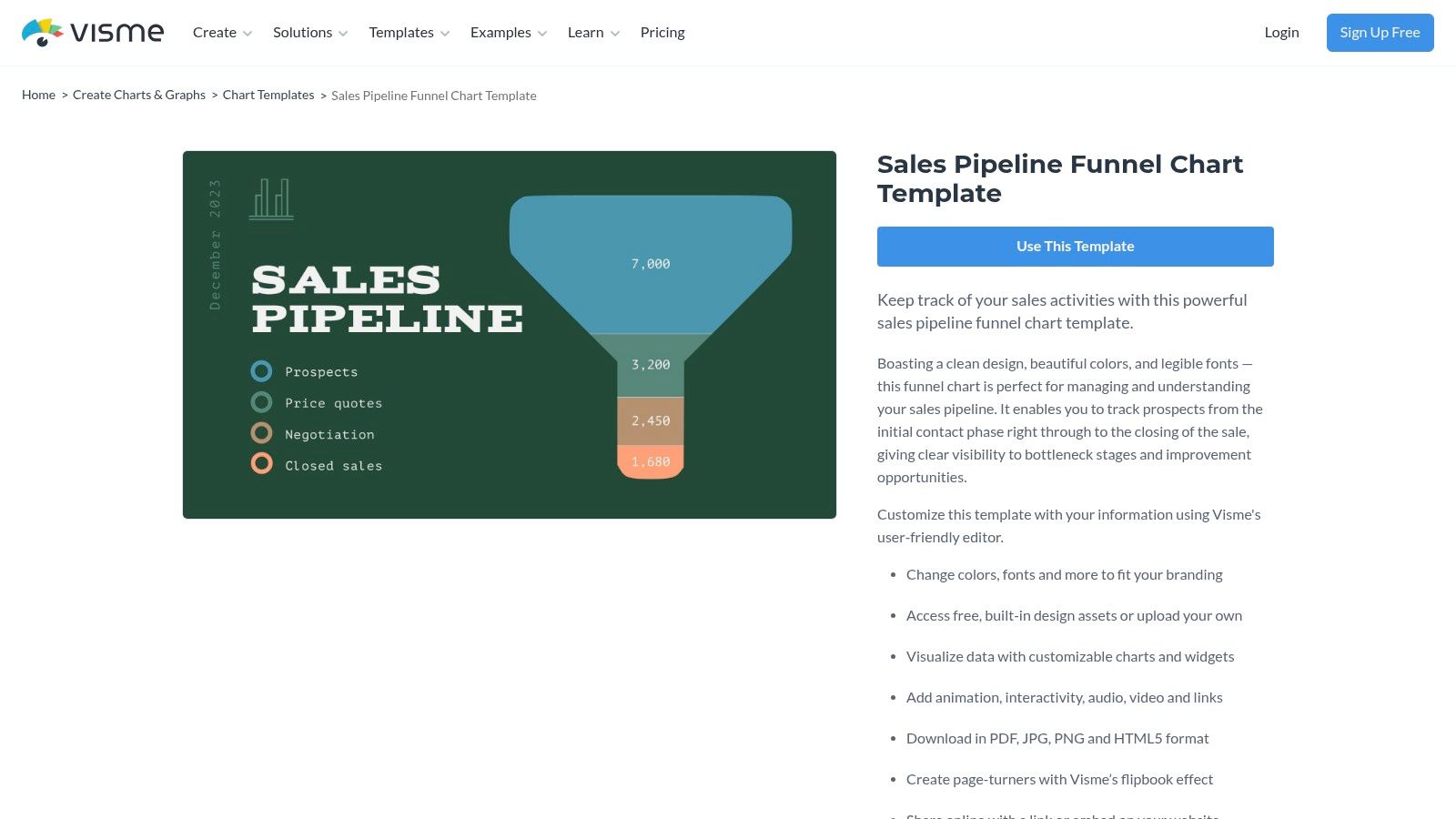
What makes Visme's offering unique is its emphasis on aesthetics and brand customization. Users can easily adjust colors, fonts, and data points to match their company's branding, transforming raw data into a compelling visual narrative. The platform also allows for interactivity and animation, making these visuals perfect for embedding in digital reports or using in dynamic presentations.
Key Details & Use Case
- Best For: Sales leaders and managers who need to create visually appealing reports for executive readouts, QBRs, or team presentations.
- Standout Feature: The ability to create brand-aligned, interactive, and animated funnel charts that can be exported in multiple formats (PNG, JPG, PDF, HTML5).
- Limitation: It's a visualization tool, not an active sales pipeline tracker. Data must be manually entered from a CRM or spreadsheet, so it's a snapshot in time.
- Pro Tip: Use this template to summarize your quarterly performance. Export data from your CRM, plug the stage-by-stage conversion numbers into the Visme template, and use the resulting chart as the centerpiece for your performance review slides.
Link: Visme Sales Pipeline Funnel Chart
12. Retool
Retool takes a unique, developer-centric approach by offering a pre-built sales pipeline app template rather than a static spreadsheet. This solution is designed for technical teams, particularly in RevOps or engineering, who need to create a highly customized internal tool. Instead of manual entry, you connect the Retool app directly to your databases (like PostgreSQL, MySQL, or Retool DB) for a real-time, interactive pipeline view.
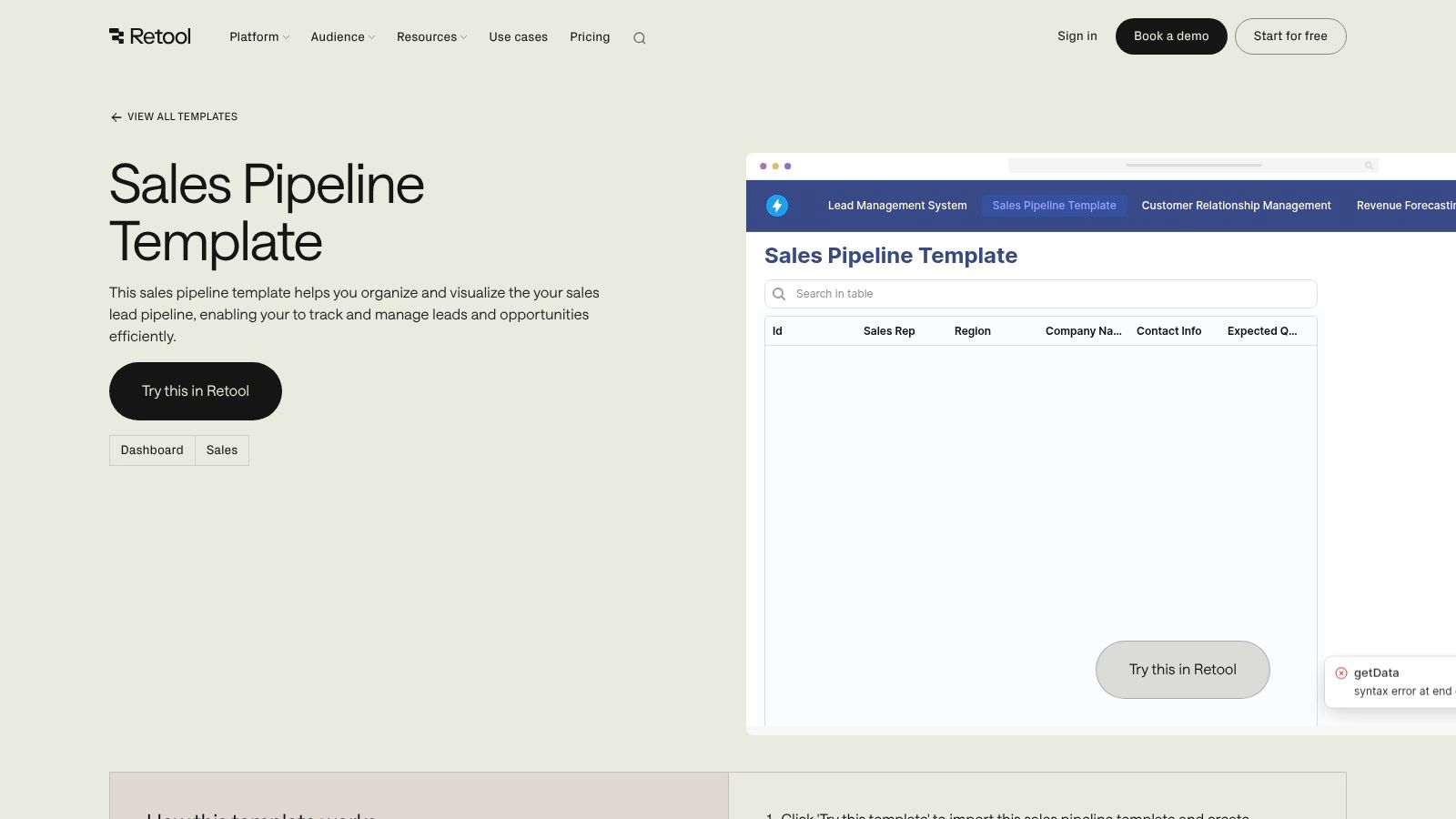
The power of Retool lies in its extreme customizability. Using a drag-and-drop interface and JavaScript, teams can build custom logic, create unique UIs, and integrate actions directly into their pipeline. For example, you can build a button that automatically sends a follow-up email via an API call. This makes it an ideal platform for businesses with complex or non-standard sales processes that off-the-shelf CRMs cannot accommodate.
Key Details & Use Case
- Best For: RevOps teams, developers, or sales teams with access to engineering resources who need a bespoke internal application to manage a unique sales process.
- Standout Feature: The ability to build a fully functional internal application connected to live data sources, allowing for custom actions, logic, and UI components far beyond a spreadsheet's capabilities.
- Limitation: It requires technical expertise (like SQL and JavaScript) to set up and customize, making it unsuitable for non-technical users looking for a simple, out-of-the-box template.
- Pro Tip: Use this template to centralize data from multiple sources. You can pull in product usage data, support tickets, and deal information into one unified view for account executives.
Link: Retool Sales Pipeline Template
Top 12 Sales Pipeline Templates Comparison
From Template to Action: Automating Your Sales Pipeline
We've explored a comprehensive array of sales pipeline templates, from robust, all-in-one platforms like HubSpot and monday.com to flexible, specialized tools like Miro and Someka. Each template offers a unique framework for visualizing your sales process, tracking deals, and identifying bottlenecks. The core takeaway is clear: a structured pipeline is no longer optional; it's the foundational blueprint for predictable revenue growth.
However, the true value of these templates is only unlocked when they evolve from static documents into dynamic, automated systems. A spreadsheet, no matter how well-designed, can quickly become a data graveyard. It requires constant manual updates, creates information silos, and pulls your top-performing reps away from what they do best: selling. The goal isn't just to have a pipeline you can look at, but one that actively works for you.
Selecting the Right Foundation for Your Sales Process
Choosing the perfect template depends entirely on your team's specific context. Before you commit, consider these critical factors:
- Team Size and Complexity: A startup founder might thrive with a simple Notion or OnePageCRM template. In contrast, a large enterprise sales team will need the advanced reporting and integration capabilities found in platforms like HubSpot or the customizability of a Retool application.
- Existing Tech Stack: How well does the template integrate with your CRM, email client, and other essential tools? Seamless integration is crucial for preventing data fragmentation and ensuring a single source of truth. A template that doesn't talk to your other systems creates more work, not less.
- Customization vs. Simplicity: Do you need a rigid, standardized process that everyone must follow (like in Jira), or do you need the flexibility to adapt stages and fields on the fly (like in ClickUp or Smartsheet)? Be honest about your operational maturity. Overly complex systems often lead to poor adoption.
The Leap from Static Tracking to Intelligent Automation
The most significant leap in productivity comes from connecting your chosen pipeline structure to an intelligent automation engine. This transforms your template from a passive record-keeper into an active component of your revenue engine. Instead of reps wasting hours on manual data entry or prospecting research, automation handles the repetitive, low-value tasks.
This is where the real power of modern sales pipeline templates is realized. By integrating with a prospecting and lead generation platform, you ensure the data flowing into your pipeline is accurate, enriched, and actionable from the start. This automation doesn't just save time; it ensures your team is always working with the most up-to-date information, leading to more relevant outreach, cleaner handoffs between SDRs and AEs, and more accurate forecasting for leadership. Your pipeline becomes a living, breathing system that fuels growth instead of just tracking it.
Ready to stop managing spreadsheets and start building a high-performance revenue engine? Willbe automates your entire top-of-funnel by finding verified prospect data and syncing every activity directly to your CRM. Transform any of these sales pipeline templates into a fully automated system and let your team focus on closing deals.